Personal Hotspot isn’t a substitute for a stable, high-speed Wi-Fi connection. If you’re unable to work effectively due to hotspot issues, you’re expected to work from an EveryStep office. Employees are limited to 10GB of hotspot data per month.
- On your iPhone go to Settings
> Personal Hotspot.
- Tap the slider next to Allow Others to Join.
- Turn ON Maximize Compatibility.
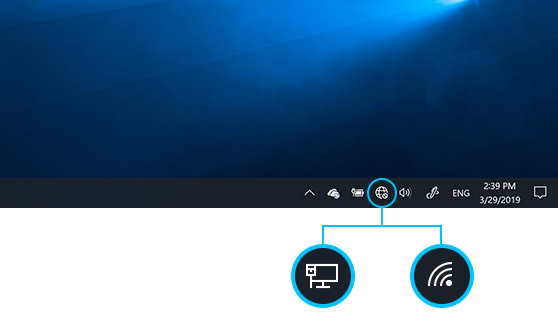
- On your laptop select the Network icon on the taskbar. The icon that appears depends on your current connection state.
- Choose your iPhone, then select Connect.
- Type the Wi-Fi password from your iPhone, and then select Next.
- Choose Yes if you want your PC to be discoverable by other PCs and devices on the network.