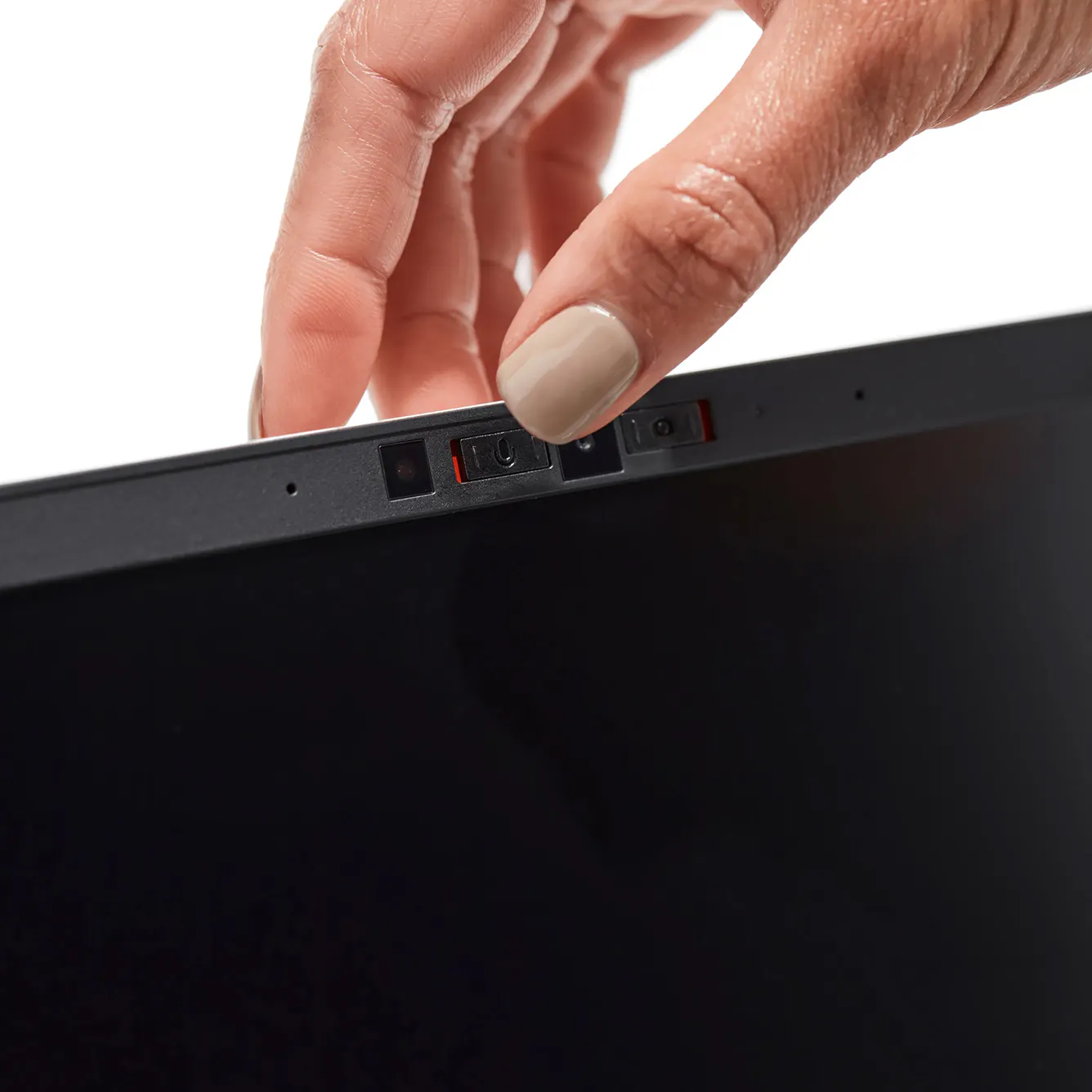
At the top bezel of your display, you’ll see two small switches beside the camera:
Left switch: Controls the 🎙️microphone | Right switch: Controls the 📷camera |
How to Adjust
🎙️Microphone toggle (left switch):
- Slide to the right (showing red) → Microphone is off (physically disconnected).
- Slide to the left (no red visible) → Microphone is on and usable.
📷Camera toggle (right switch)
- Slide to the right (showing red) → Camera is off (physically disconnected).
- Slide to the left (no red visible) → Camera is on and usable.