Patient Documentation
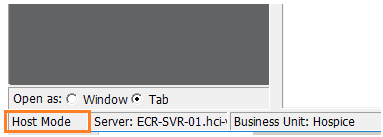
Please make sure you have completed all your documentation prior to the device switch as you will lose any incomplete documentation. Ensure you have entered field mode on the new device prior to starting to document. Any documentation that is started in host mode will need to be completed there prior to resuming field mode. You can verify your mode upon your first login by looking at your screen in the lower left corner.
Sync Settings reset
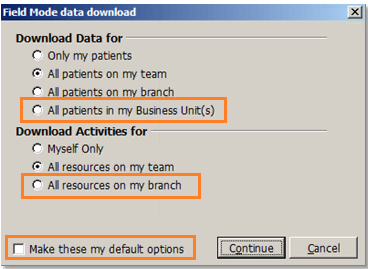
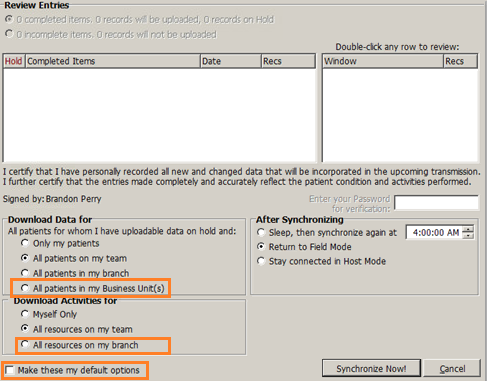
You sync settings will be reset to default with your new device. Please make sure to reset these back to branch or business unit to download all available patients back to your device. Make sure to click the make default check box to ensure the settings will stay. This is done on the sync window
If you had access to host mode prior to switch devices, you will be first logged into host mode and will need to disconnect from the server. Make sure you do this before you leave the office. If you miss doing this, you will need to connect to an internet source and connect your FortiClient to login and disconnect. Wifi is recommended as a large amount of data will be downloaded.
Click the disconnect button on the top toolbar

Select the sync settings and make them your defaults.