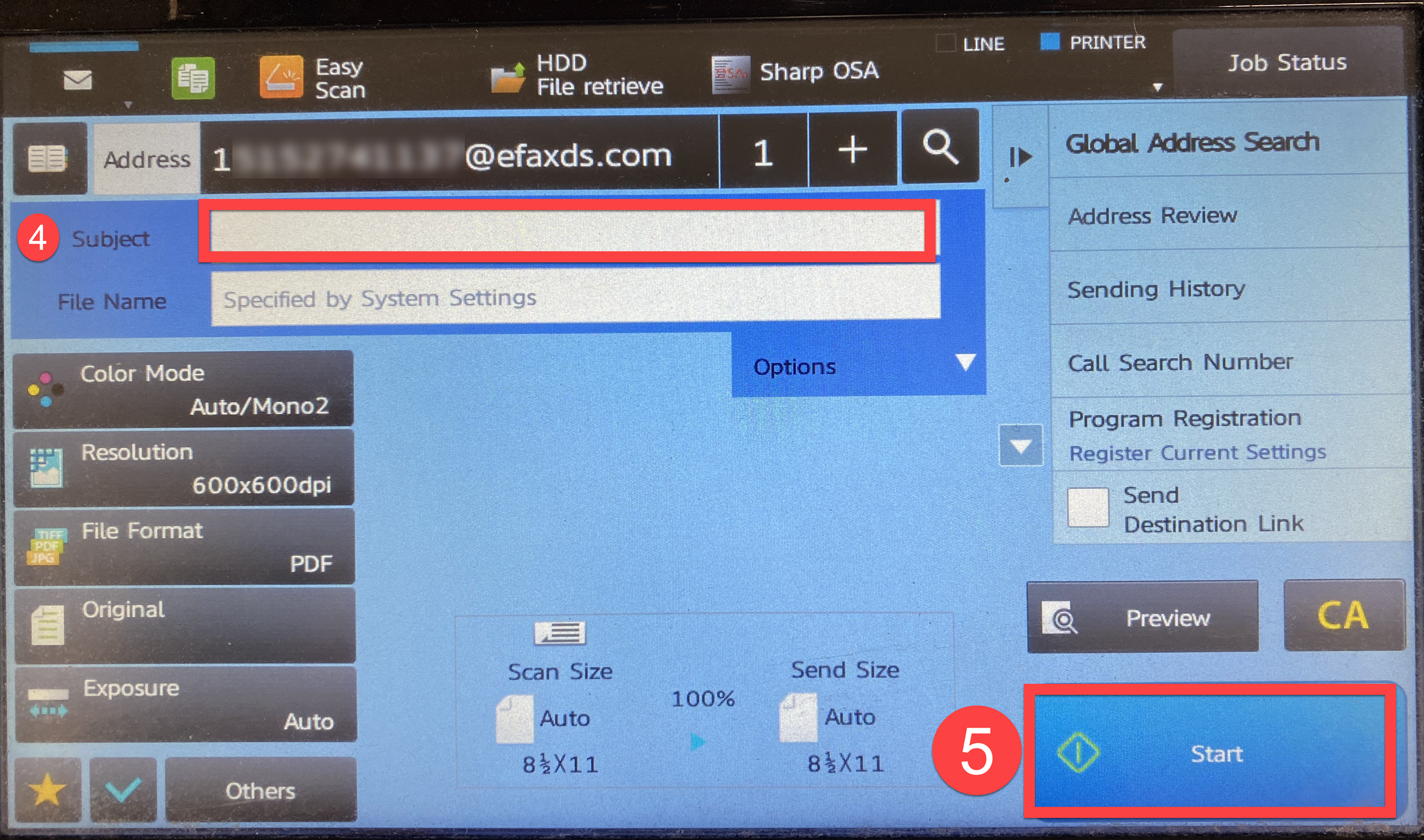
- Place the documents you want to scan in the scan tray.
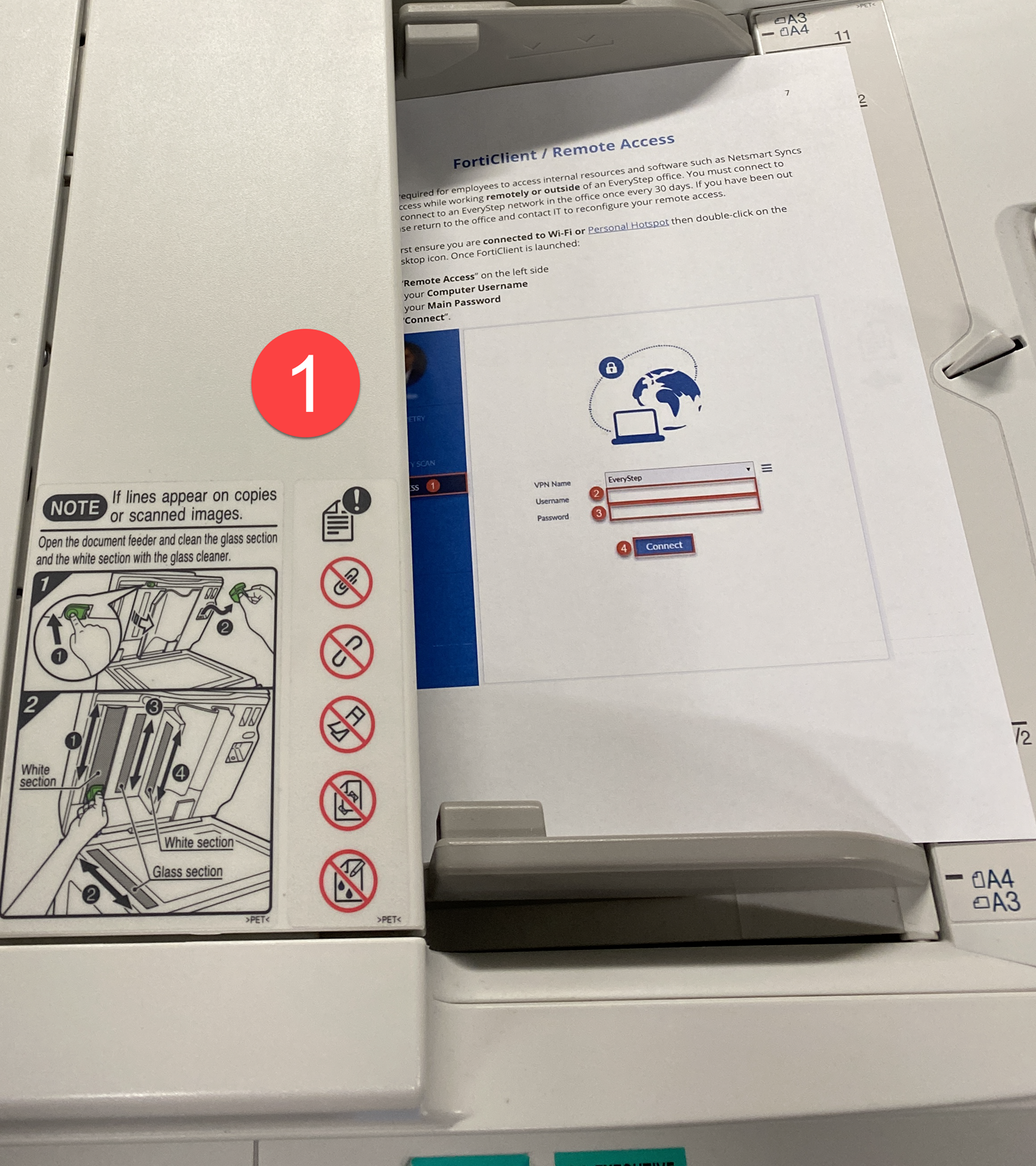
- Tap E-Mail (if prompted for billing code select "Bypass Billing Code).
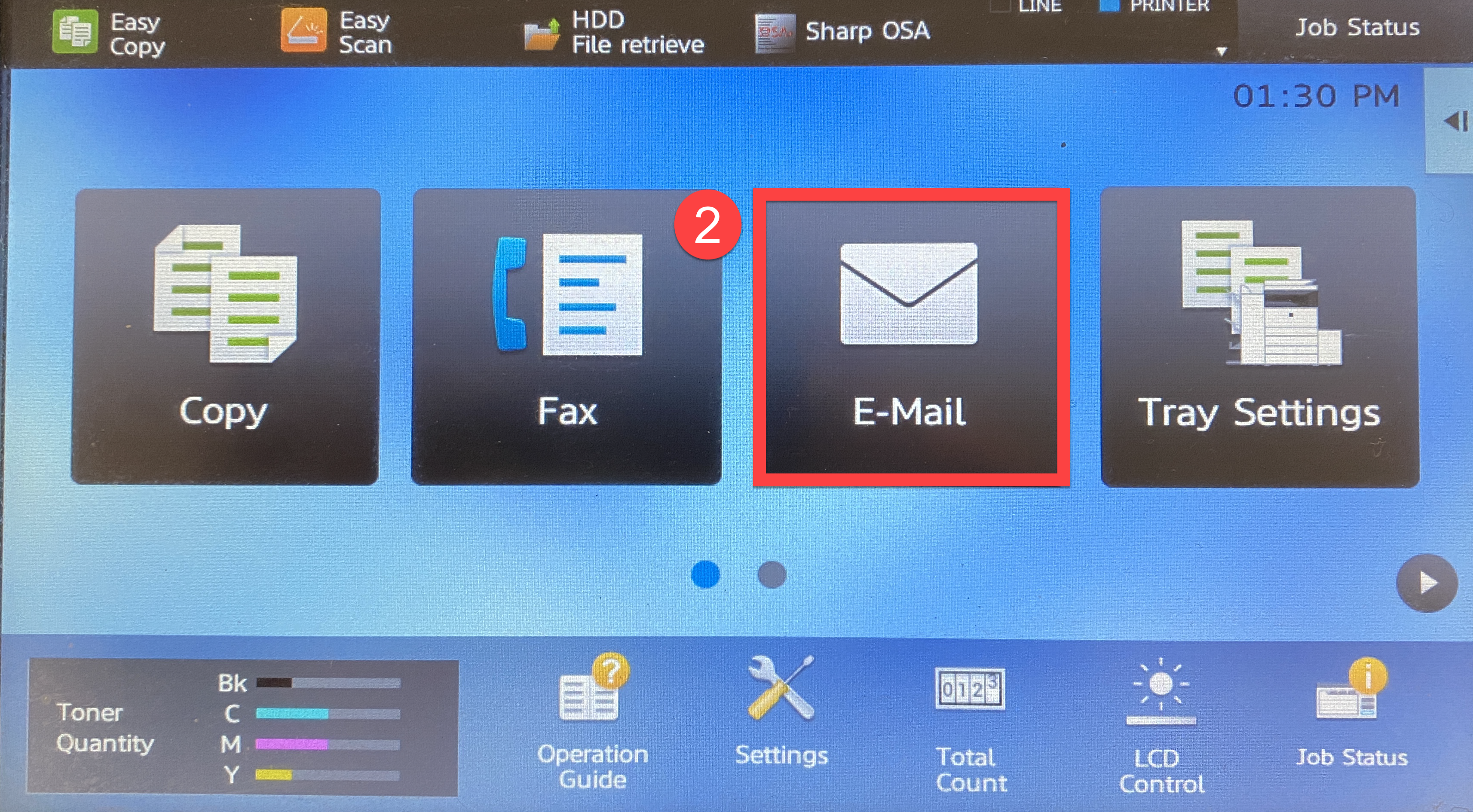
- In the Address field enter the fax number, then OK.
- Use 1 plus area code, fax number, then @efaxds.com.
- For example: To send a fax to 222-333-4567 you would enter 12223334567@efaxds.com (Always place a 1 in front of the number you are faxing).
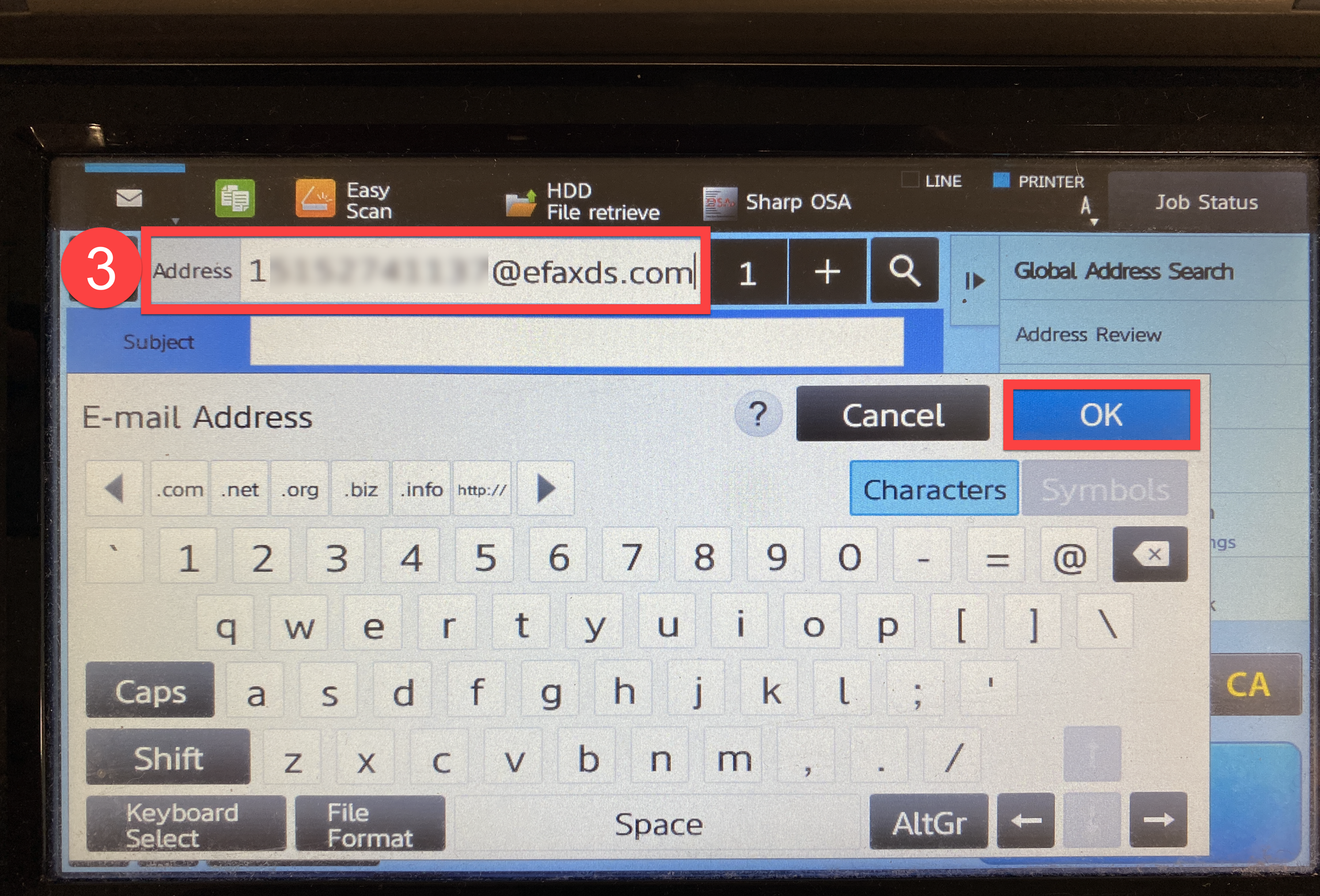
- (Optional) Type in a subject.
- Tap Start.