You can change how you receive your MFA code or the phone number associated with your account.
Visit: https://mysignins.microsoft.com/security-info and sign in with your EveryStep email and password.
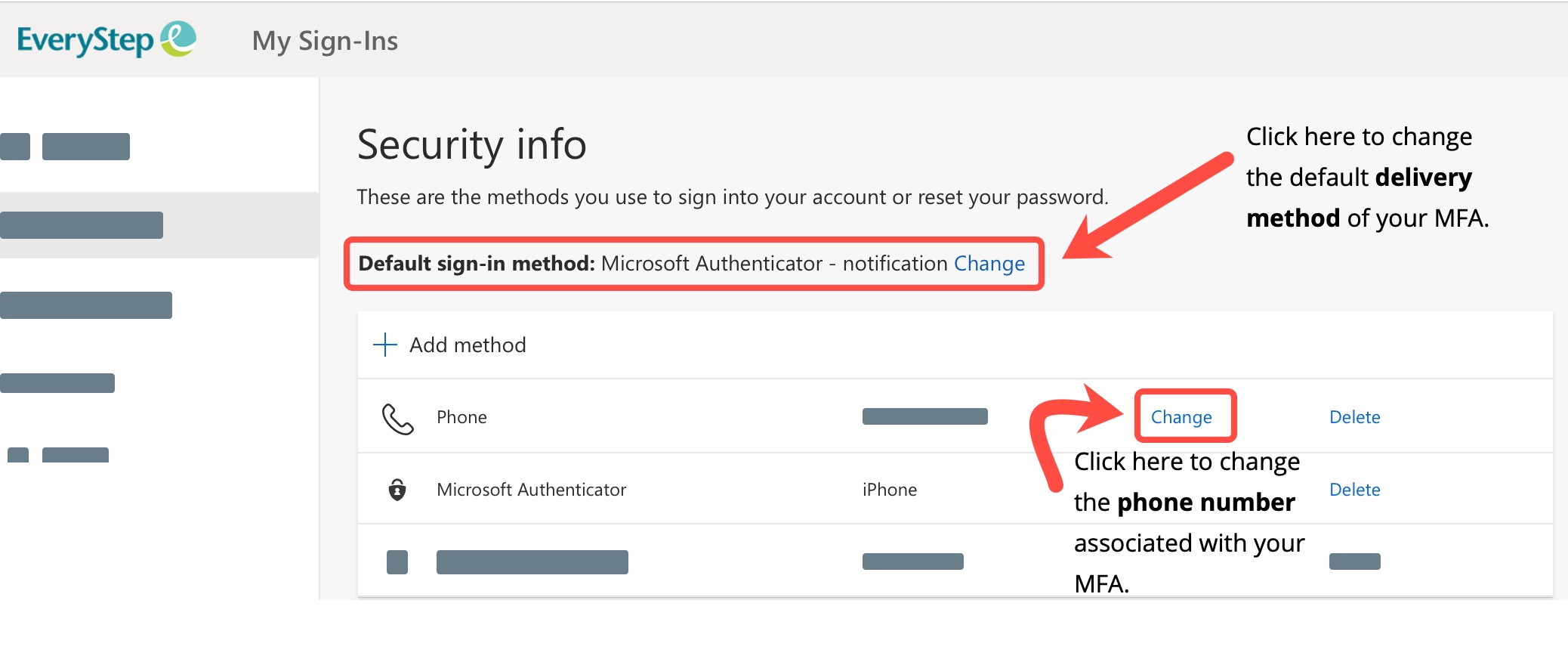
How you can be notified:
- Notify me through app: You'll be notified through your authenticator app that you have a waiting verification prompt.
- Text code to my authentication phone: You'll get a verification code as part of a text message on your mobile device. You must enter this code into the verification prompt for your work account.
- Call my authentication phone: You'll get a phone call on your mobile device, asking you to verify your information.