With message recall (unsend), an email that you sent is retrieved from the mailboxes of the recipients who haven’t yet opened it. You can also substitute a replacement message. For example, if you forgot to include an attachment, you can try to retract the message, and then send a replacement message that has the attachment.
Message recall is available after you click Send and is available only if both you and the recipient have a Microsoft 365 or Microsoft Exchange email account in the same organization.
To recall and replace a message
-
In the folder pane on the left of the Outlook window, choose the Sent Items folder.
-
Open the message that you want to recall. You must double-click to open the message.
-
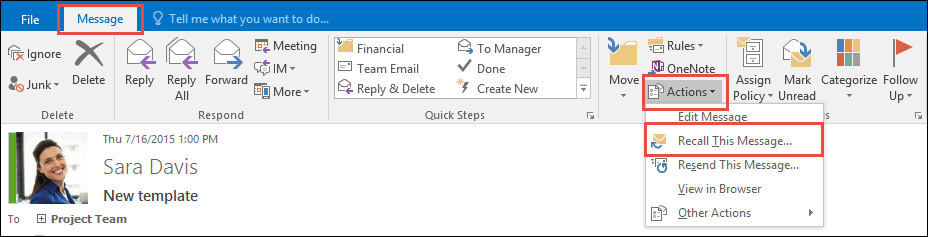
If you have the Classic Ribbon, from the Message tab, select Actions > Recall This Message.
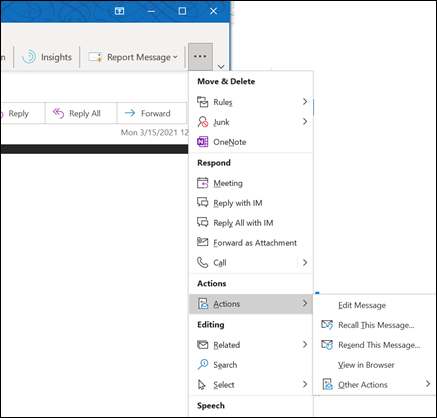
If you have the Simplified Ribbon, select the Message tab and then select More commands (...). Point to Actions and select Recall This Message.