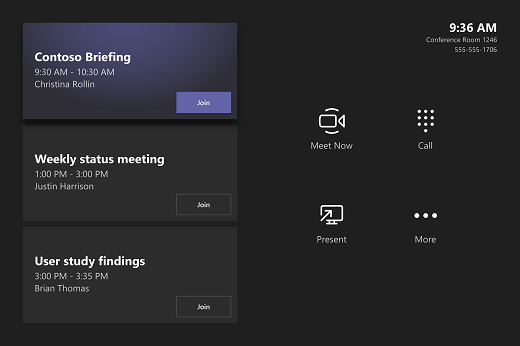
The touchscreen console in a conference room is the heart of every meeting. It automatically wakes up when it detects motion. On the screen, there are a few things you can do:
- Join a scheduled meeting by selecting the meeting.
Note: To get a meeting to show up on the room console, organizers should set the room as the meeting location/invited the conference room. - Start a new meeting by selecting Meet now
 .
. - Project your laptop by plugging in the HDMI cable connected to the console. Depending on the room settings, it may be projected to the room automatically, or you may have to select Present
 on the room console.
 - Select More
 for instructions on how to add the room to a meeting, give feedback on the device, or change settings.
When you're in a meeting, you'll have options to manage your camera and mic, share content, add participants, and end the call.
