-
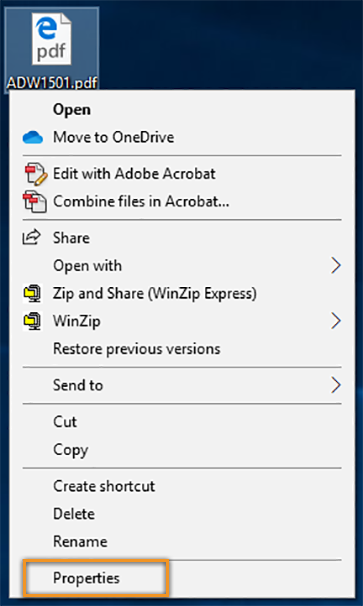
Right-click on a thumbnail of a PDF file, and then choose Properties.
-
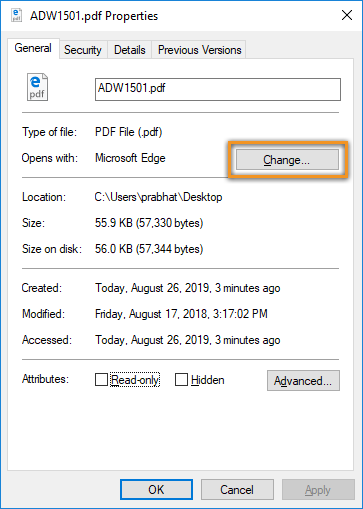
In the file's Properties dialog box, click Change.
-
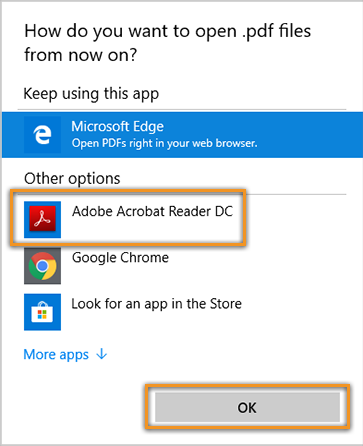
Choose Adobe Acrobat Reader DC and click OK.
-
In the Properties dialog box, click OK.
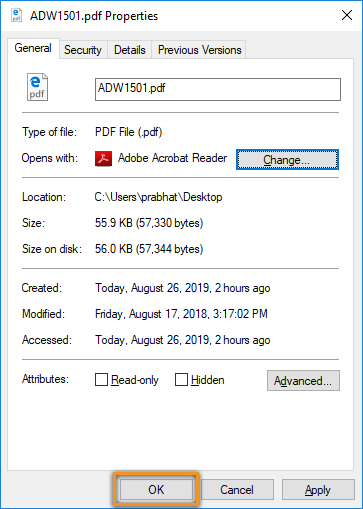


Now, the PDF files open in Acrobat Reader DC or Acrobat DC.